
PlayFab Hub
PlayFab client integration and an editor-only live-ops Admin Hub for Unity — typed runtime managers plus one admin window for your whole title, with no separate Azure Functions deployment required by default. PlayFab service charges apply.
Overview
Client integration + editor-only Admin Hub · PlayFab-native · no Azure Functions
PlayFab Hub bundles two complementary toolsets that were built to work together. Part 1 — Client integration is a ScriptableObject-configured wrapper over the PlayFab client SDK: tick the features you want in a Hub window and call typed managers (Auth, Economy, Leaderboards, CloudScript, …) from game code, with no callback plumbing. Part 2 — the Admin Hub is a single Unity Editor window that drives every routine live-ops task against your title: validate and push your Economy catalog, deploy CloudScript, edit Title Data, publish Title News, moderate user-generated content, ban or un-ban players, inspect player profiles and currencies, and run health checks.
The Admin Hub talks to PlayFab directly over secret-key REST — no Azure Functions, no separate backend service, nothing to deploy or operate — and is an Editor-only assembly, so none of it ships in your player builds. The client half ships a small runtime assembly (your game's PlayFab calls) plus an editor configuration window. Server logic defaults to Legacy CloudScript (JavaScript), so neither half requires an Azure subscription.
One package, two halves. The diagram below shows the Admin Hub architecture; the client integration is covered in Client Integration and the bundled README.html.
Requirements
- PlayFab Unity SDK present in the project (the package references the
PlayFabandPlayFabSDKEditorassemblies for the bundled JSON serializer andPlayFabSettings.TitleId). - Tested editors: Unity 2022.3.44f1 and 6000.4.6f1. PlayFab Unity SDK 2.230.260123 is the tested prerequisite.
- TextMeshPro — used by the uGUI samples and the sample-scene generator (part of uGUI 2.0 on Unity 6; the default TextMeshPro package on 2022.3).
- Editor-only Admin Hub — the whole admin half compiles into the
MoDev.PlayFabAdmin.Editorassembly (includePlatforms: ["Editor"]); none of it is included in a player build, as source or compiled. The client half's small runtime assembly is the only part that ships in your game.
Client Integration
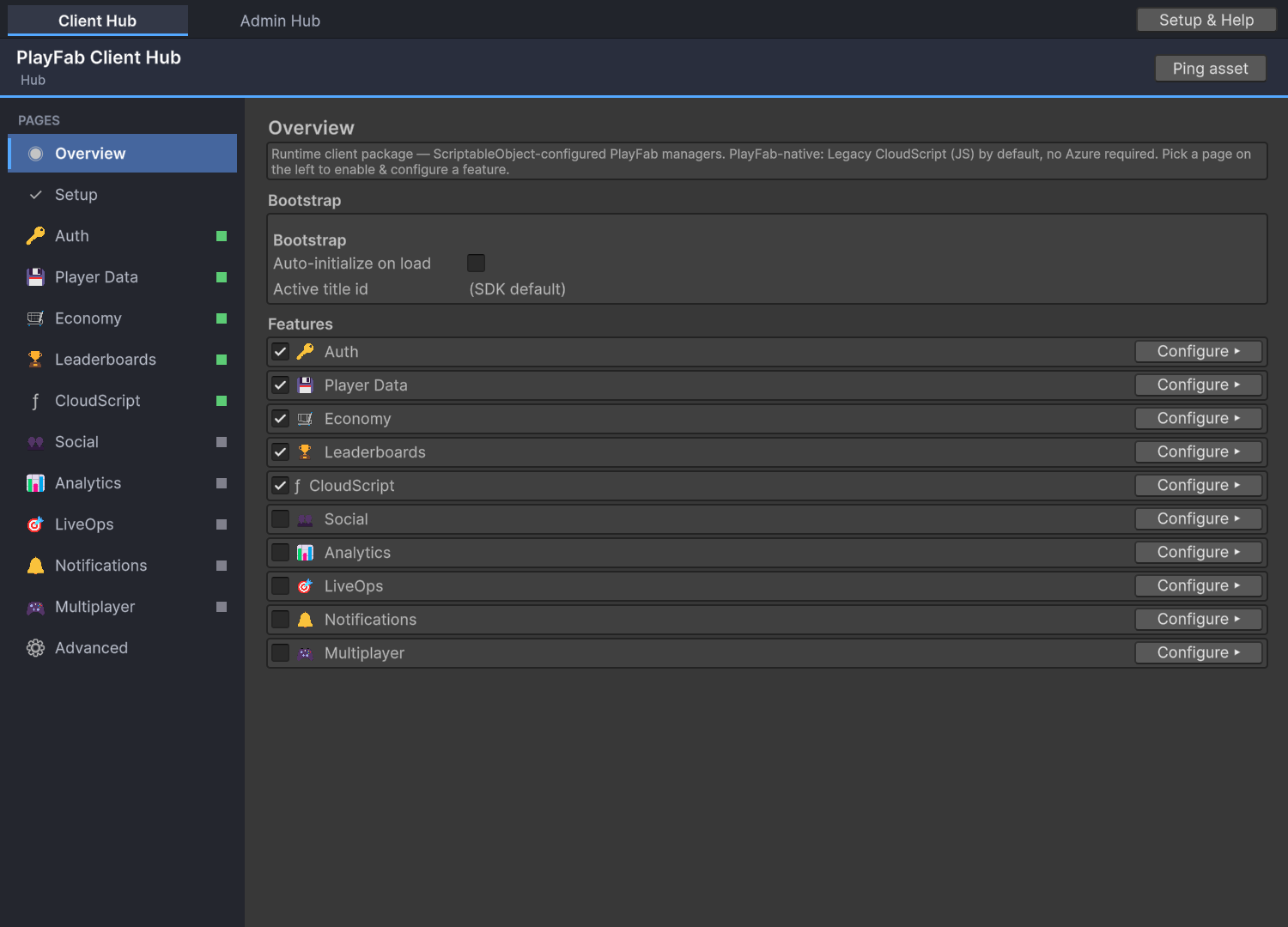
A typed wrapper over the PlayFab client SDK — configure once, call managers.
The client half is a small runtime assembly (MoDev.PlayFabHub.Runtime) plus an editor
configuration window. One ScriptableObject holds your environments, network policy and the
per-feature config; you edit it from the Hub window's Client tab and call typed managers from
game code. Every manager returns a unified HubResult<T> (Ok + Data,
or Error) and raises cross-cutting events on PlayFabHubEvents.
Setup
- Open
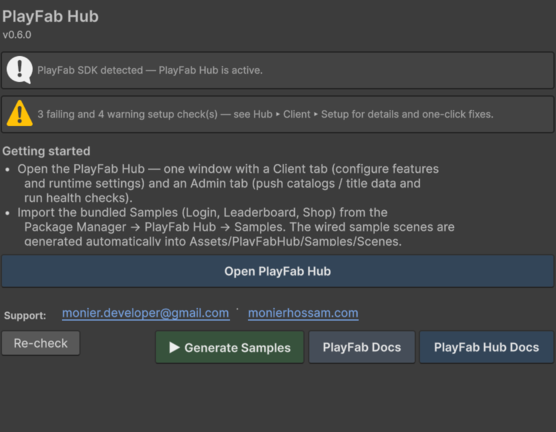
MoDev ▸ PlayFab Hub ▸ Hub(Client Hub tab) → Create Settings Asset. It is created in your project atAssets/PlayFabHub/Resources/(under aResources/folder so the runtime loads it automatically — never inside the package, which is read-only). - On the Advanced page, set your Title ID (or leave it empty to reuse the SDK's shared
PlayFabSettings.TitleId). - Enable the features you need (Auth is on by default); each feature page configures only that feature.
- Initialize once at startup (or tick Auto-initialize on load):
using MoDev.PlayFabHub;

PlayFabHub.Initialize();              // loads the Resources settings asset
PlayFabHub.Auth.LoginAnonymous(r =>
{
    if (r.Ok) Debug.Log("Logged in: " + r.Data.PlayFabId);
    else      Debug.LogWarning(r.Error);
});

// Economy v2 (default), leaderboards, and a server-authoritative grant:
PlayFabHub.Economy.SearchItemsV2("type eq 'catalogItem'", null, null, r => { /* r.Data.Items */ });
PlayFabHub.Leaderboards.GetLeaderboard("best_time", 0, 25, r => { /* r.Data.Leaderboard */ });
PlayFabHub.CloudScript.Execute<MyResult>("grantDailyReward", new { day = 3 }, r => { /* ... */ });

// Live-game extras: last season's board, what's running now, matchmaking with Cancel:
PlayFabHub.Leaderboards.GetPreviousSeasonLeaderboard("best_time", 0, 25, r => { /* ... */ });
PlayFabHub.LiveOps.GetActiveEvents(r => { /* r.Data[0].GetPayload<MyBoost>() */ });
var poll = PlayFabHub.Multiplayer.FindMatch(null, r => { /* ... */ }, s => label.text = s);
Feature map
A disabled feature's accessor returns null — guard with it, or check PlayFabHub.Has<T>().
Auth PlayFabHub.Auth
Login (anonymous / device / email / Google Play / Apple), register, password recovery, link & unlink accounts, and entity-token handling.
Player Data PlayFabHub.Data
User Data, Entity Objects (v2 — typed get / set / delete), profile, Title Data (cached, with typed GetTitleDataObject<T> remote-config reads), Title News and CDN content.
Economy PlayFabHub.Economy
Catalog, inventory, virtual-currency purchase & consume for v1 and v2. Google Play/Apple receipt helpers use legacy v1; Unity IAP checkout and v2 real-money redemption are not included.
Leaderboards PlayFabHub.Leaderboards
Statistics plus global / around-me / friend boards, with write-authority gating for competitive scores — and statistic versions (seasons): read the live or any archived season, plus a one-call “last season’s board”.
CloudScript PlayFabHub.CloudScript
Typed Execute<T> against Legacy CloudScript (PlayFab-hosted JS; PlayFab usage charges may apply) or opt-in Azure Functions — plus ExecuteChecked<T>, which fails the result when your handler answers { "error": … }.
Social PlayFabHub.Social
Friends lists plus Groups / Clans, including shared group data — named JSON documents on the group entity for club activity feeds, shared goals and guild settings.
Analytics PlayFabHub.Analytics
Batched custom events, flushed on a timer and on pause / quit.
LiveOps PlayFabHub.LiveOps
Segments (read), A/B treatment variants, Title News, and scheduled events — a Title Data document of start / end UTC windows filtered against the clock.
Notifications PlayFabHub.Notifications
Android / iOS push registration and contact-email capture.
Multiplayer PlayFabHub.Multiplayer
Lobby + Matchmaking (advanced; off by default), with ticket polling that owns the interval / timeout / cancel loop and returns one cancellable handle.
Server authority. The client may read segments / variants / news and spend or consume its own items. Protected grants and competitive score writes belong in your trusted backend. The built-in receipt helpers call PlayFab legacy Client APIs, which validate remotely and need no custom CloudScript. See the per-feature setup below for title settings and integration boundaries. The title secret key never ships in the runtime build.
Admin Hub — Features
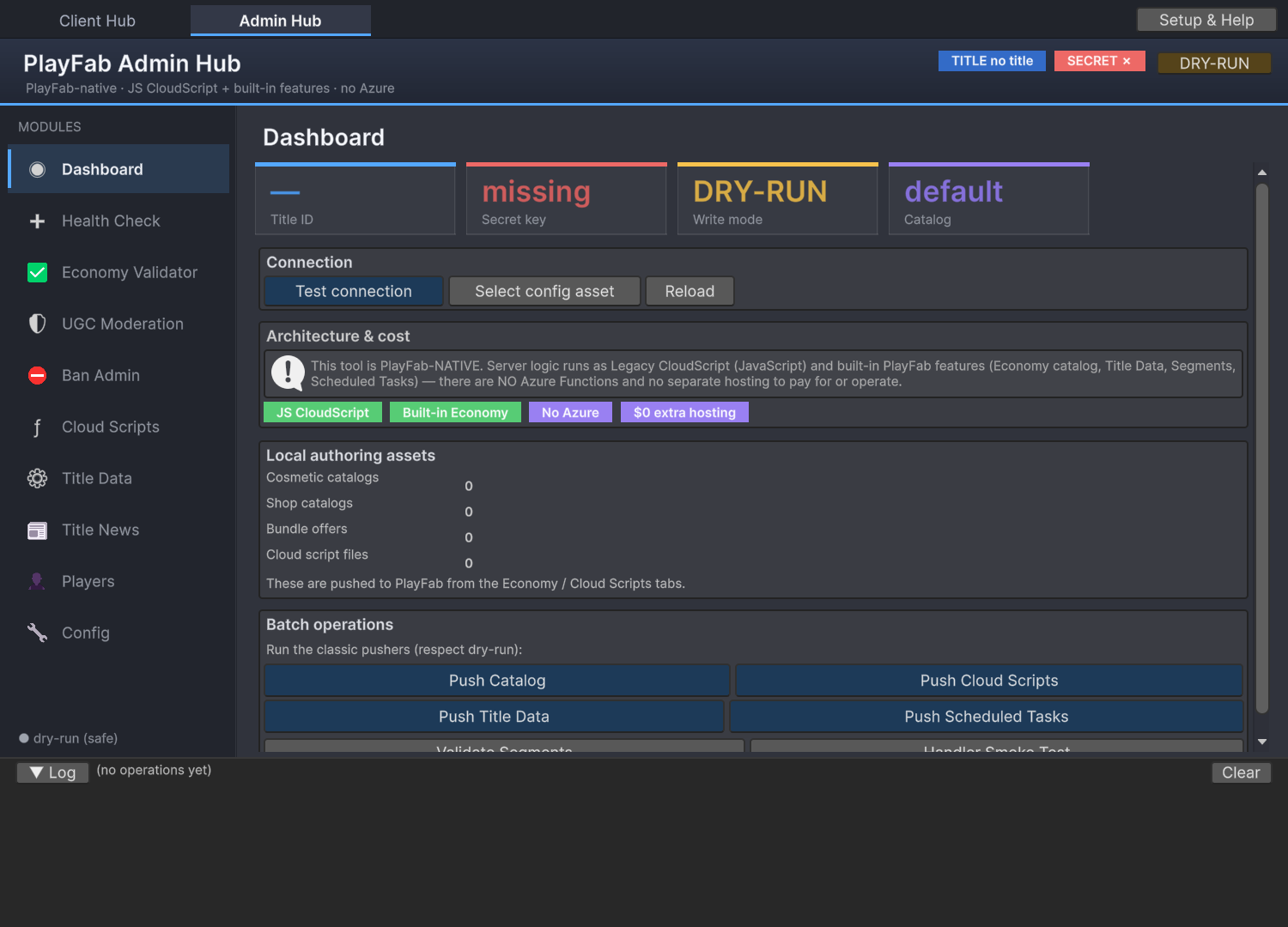
The Admin Hub is the Admin tab of the unified window (MoDev ▸ PlayFab Hub ▸ Hub): a left module
rail, a content pane, a persistent header (Title ID / secret status / DRY-RUN toggle) and a bottom
operation-log strip. Every card below is a tab in that rail.
Dashboard landing
Quick-status board with stat tiles (Title ID, secret presence, write mode, target catalog version), a live Test connection probe (a cheap read-only GetTitleData), a count of local authoring assets, and one-click batch operations — Push Catalog, Cloud Scripts, Title Data, Scheduled Tasks, Validate Segments and a handler Smoke Test. All writes respect dry-run.
Health Check readiness
A single readiness report: local project checks plus live PlayFab probes (title reachable, Economy v2 catalog responding, CloudScript handlers deployed, segments defined), color-coded Pass / Warn / Fail / Unknown. Shares one prerequisite registry with the Client tab's Setup page, so both views always agree.
Economy Validator read-only
A three-layer sanity gate: (a) local referential checks over your ICatalogSource (duplicate / blank ItemIds, dangling cosmetic references); (b) a post-push diff against the live v1 catalog (Admin/GetCatalogItems); (c) an Economy v2 content-type probe (Catalog/GetCatalogConfig). Reads only — never gated by dry-run.
UGC Moderation moderate
Lists Economy v2 user-generated items (via Catalog/SearchItems) with title, creator, rating, play count and report reason. Each item exposes KEEP / REMOVE / FEATURE actions plus Rotate featured now. Writes are disabled until you configure your own deployed Legacy CloudScript handler names and contracts in the Admin config. Handler implementations are not bundled. Requests route over secret-key REST. Respects dry-run.
Ban Admin enforce
The moderator counterpart to a client ban screen. Ban a player by PlayFab ID with a reason and optional duration (blank = permanent), look up all bans, and revoke them (all or individually) via Admin/BanUsers, GetUserBans, RevokeAllBansForUser and RevokeBans. Respects dry-run — the request body is previewed, not sent, in DRY-RUN.
Cloud Scripts deploy
Manages your Legacy CloudScript (JavaScript) handlers, which run inside PlayFab under your service plan. Lists local .js files, previews the selected one, and deploys them as a single bundled revision (Admin/UpdateCloudScript). Two modes: Deploy (merge) replaces main.js and preserves other live files, aborting if the live revision cannot be read; Replace only uploads just the local bundle. View live revision shows the deployed version. Respects dry-run.
Title Data key/value
A live key/value editor. Fetch (Admin/GetTitleData), toggle public vs Internal Title Data, filter by key, edit inline, add keys and mark keys for deletion. Push changed writes only dirty rows (SetTitleData / SetTitleInternalData, one call per key). Dirty and to-be-deleted rows are highlighted. Respects dry-run.
Title News publish
Authoring for Title News that surfaces in your in-app inbox. List existing news (Server/GetTitleNews) and compose / publish new items (Admin/AddNews). An optional coin reward prepends a {"coins":N} JSON line the in-game inbox can parse into a claimable row, with a live body preview. Works for v1 and v2 titles. Respects dry-run.
Players inspect
A player inspector and economy tool. Look up a player by PlayFab ID to see profile, virtual-currency balances and v1 inventory (GetPlayerProfile, GetUserAccountInfo, GetUserInventory). Grant or revoke virtual currency by 2-character code (AddUserVirtualCurrency / SubtractUserVirtualCurrency). Grants are writes and respect dry-run.
Config settings
In-window settings written to the PlayFabAdminConfig asset: optional Title ID override (empty = reuse PlayFabSettings.TitleId), v1 catalog version, and the dry-run toggle. Surfaces where the secret key resolves from (env / file / missing) without exposing the value, reveals the .secret file, and clears the cached entity token. The secret is never stored here.
PlayFab Setup
Configure each enabled client feature, then set up editor administration.
Checked against the package's API calls and Microsoft documentation on 13 September 2026. Complete the sections for the features you use on each development, staging and production title. Menu names can change; the linked API documentation identifies the underlying requirement.
Start here
Install the prerequisites in Getting started, create the Hub settings, select the correct environment Title ID, enable the feature in the roster and its configuration block, initialize the Hub, and log in before calling authenticated APIs. Entity-based features also need the title-player entity token obtained at login. A PlayFabId and a title-player entity ID are different identifiers.
Hub feature switches configure the Unity client; they do not enable PlayFab products, publish content, change API policy, or deploy handlers. Setup/Health Check results cover specific checks only. A green row is not proof that a purchase, push notification or custom handler works end to end.
If your title has a customized API access policy, allow the specific Client/entity endpoints used by your enabled features. Diagnose the returned API error before changing policy. Do not replace a restricted policy with an unrestricted one simply to clear an error. Developer keys belong in trusted editor/server tooling, never the shipped client. API access policy
Authentication
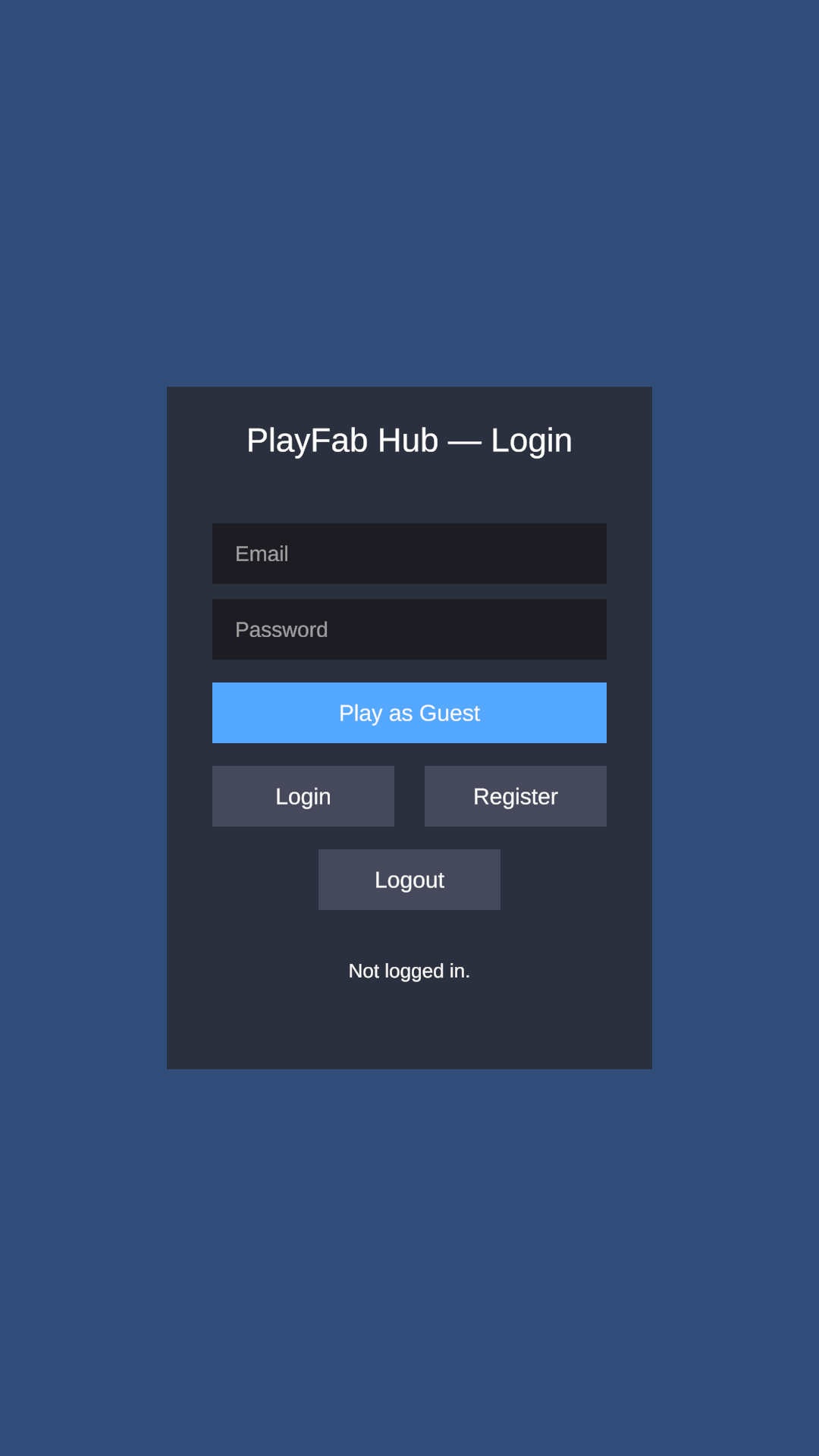
Start with the Login demo's email registration and login. Existing accounts must belong to the selected title. Configure account recovery/email delivery for your title and verify recovery with a test account before advertising it. Email setup
Custom ID and Android/iOS device-ID login are anonymous identity methods, not Google/Apple account sign-in. New titles disable anonymous client account creation by default. Provision accounts through a trusted server, or use email/platform registration. Only for a temporary development test, review the anonymous player-creation option under Game Manager > Settings > API Features. Setting auth.createAccountOnFirstRun in Unity does not override title policy. Anonymous login
For Google Play Games, install/configure Google's Unity plugin, package/signing credentials and OAuth configuration, configure the PlayFab Google add-on, and supply a server auth code to the Hub login method. For Apple, configure the Apple add-on and matching app/service identifiers, add the native Sign in with Apple capability/plugin, and supply an Apple identity token. The Hub does not obtain either token for you. Test on the target platform. Google sign-in, Apple sign-in
Player data, profiles and content
Classic GetUserData/UpdateUserData operate on player-writable key/value data. Use them for data the player may edit; server-owned balances and entitlements need trusted writes. Read-only/internal User Data are separate PlayFab stores, not what these wrappers write. Player Data
For entity objects, retain the default title_player_account type for player documents and use the entity ID/token returned by authentication. Choose object names and stay within your title's object limits. Use the matching read's ProfileVersion for optimistic concurrency. Entity objects
For profile reads, configure Game Manager > Settings > Client Profile Options to permit the fields you request in ProfileConstraints. Requesting a field does not grant permission to view it. GetPlayerProfile
Create public remote-config keys under Content > Title Data. JSON helper values must be valid JSON strings. Internal Title Data is not readable by these client methods; do not put secrets in public Title Data. A missing/malformed JSON value can return your fallback with Ok, so verify the returned value as well as the status. Title Data setup
Publish Title News before expecting news entries. For GetContentDownloadUrl, upload the file to PlayFab's Content/CDN service and use its exact key; an entity file or Economy v2 content ID is not the same resource. CDN availability and charges depend on your title/service plan. Content APIs
Verify with a test-player save/read round trip, one permitted profile read, and one known Title Data/content key.
Leaderboards and statistics
This package uses legacy Player Statistics and their leaderboards, not the newer Progression leaderboard APIs. Create/configure the statistic in your title's legacy leaderboards/statistics area, choose its aggregation and reset policy, and use its exact name in your calls or sample. Submit a test score before expecting a populated board.
To post scores directly from Unity, both settings are required: set LeaderboardConfig.writeAuthority to ClientDirect; then open Game Manager > your title > Settings > API Features > Enable API features, enable Allow client to post player statistics (AllowClientToPostPlayerStatistics), and save. The title-specific URL is https://developer.playfab.com/en-us/r/t/TITLE_ID/settings/api-features — replace TITLE_ID with your actual title ID.
That title setting allows players to submit arbitrary statistic values. Use it only when this matches your game's trust model, such as prototyping. It is not required for leaderboard reads or server-written scores. Microsoft's player-statistics guide
The default CloudScript write authority makes SubmitScore refuse the client write; it does not automatically call a score handler. Enable CloudScript, deploy your own handler that validates the result and writes the statistic using the Server API, and call it through PlayFabHub.CloudScript.ExecuteChecked. Keep client statistic posting disabled for that workflow. A handler accepting an arbitrary client score without validation is still not authoritative.
For seasons, configure the statistic's scheduled reset, or deploy an authorized reset handler and set versionResetFunctionKey. The package does not supply a score/reset handler. See seasons and handler contracts. Verify global/around-player reads after the chosen write path succeeds; a player without a score may have no placement.
Economy v1: virtual purchases
Create a legacy catalog and items under Economy > Catalogs, define two-character virtual currencies and prices, and configure catalogVersion and optional storeId to match. Provision a test player's balance through trusted administration. Pass the actual catalog/store price when purchasing; consume owned item-instance IDs, not catalog IDs. An empty catalogVersion uses the title's primary catalog. Legacy economy setup, stores
Client currency-grant permissions are not needed for these purchase/consume helpers. Verify that buying reduces the appropriate balance and adds the expected item, then test consumption of a consumable item.
Economy v2: virtual purchases
Enable the catalog in your title's Economy (V2) settings (IsCatalogEnabled). Configure a content type, create and publish the currency and item, and publish the item's currency price option. Draft/unreleased content may not appear for ordinary players. Provision test currency using trusted title administration. Economy v2 quickstart
Use v2 item IDs, price amounts and the same inventory collectionId for balances and purchases (default unless changed). V1 currency balances do not fund a v2 purchase. The shipped Shop demos use this v2 virtual-currency path. Do not grant players catalog-administrator privileges to make a shop work. Verify catalog search, inventory, purchase and balance changes with an ordinary player account.
The version setting identifies the intended economy; explicitly suffixed methods such as PurchaseItemV1 and PurchaseItemV2 call their named API generation. It does not redirect receipt validation to v2.
Real-money IAP: legacy receipt helpers
Install and integrate Unity IAP or your chosen native store SDK separately for checkout, pending orders and restores. This release unwraps supported Google Play and Apple/Mac unified receipts and calls PlayFab's legacy Client validation endpoints. PlayFab validates remotely; the device does not decide authenticity. No custom CloudScript is required for these built-in helpers. V2 real-money redemption and a durable fulfillment ledger are not included.
Configure the corresponding Google/Apple add-on for the same app/title, store product IDs and receipt-validation credentials. Sign-in setup alone does not configure purchases. Map the store SKU to the legacy catalog item and configure its real-money pricing/fulfillment. The current Hub receipt wrappers do not send CatalogVersion, so use the title's primary legacy catalog for this receipt path even when other v1 calls select a named catalog. Pass the receipt unchanged with the store's currency and price in the API's centesimal units. Google validation and mapping, Apple validation
Test with real sandbox receipts. Confirm/consume the store order only after reconciling successful fulfillment; keep pending transactions recoverable across restarts. Reconcile already-used receipts rather than granting again. Unity Editor fake-store receipts are not proof of store validation. See IAP reliability and limits.
CloudScript
For the default Legacy JavaScript backend, deploy the handlers.NAME functions to a live CloudScript revision under Automation > CloudScript. Register matching keys/names in cloudScript.functions or call the deployed name directly. The wrapper uses the live revision; a saved but unpublished draft is insufficient. Start with the included read-only server-time example. CloudScript quickstart
For optional Azure Functions, create/deploy your Function App, register the function with this PlayFab title, and select AzureFunctions in the Hub. Keep the function authorization key in trusted registration, not Unity settings. Legacy JavaScript upload tools do not deploy Azure functions. Azure Functions setup
Match your handler's result to okField/errorField for ExecuteChecked. Authorize the caller and validate inputs inside every handler. The source-assignment smoke check does not execute handlers or test receipt validation. See server integration.
Friends and groups
For friends, create two accounts on the same title and pass the friend's PlayFabId. Friendship is one-way by default; reciprocal approval is a game policy. External Steam/Facebook friends additionally require linked provider accounts and corresponding platform configuration; leave those switches off if unused. Friends quickstart
Groups use title-player entity IDs and entity tokens. Create a group, retain its group ID, and test the invitation/application and acceptance paths with a second player. Membership and roles govern administration. Entity-object permissions also govern group document access; verify read/write behavior separately as an admin, ordinary member and non-member. Do not broadly relax policies to clear Forbidden. Use trusted handlers for protected shared state. Groups quickstart, group data examples
Analytics and LiveOps
Analytics is disabled by default. Enable it intentionally, apply your consent policy, log in and call Track with an event name/body. The implementation sends individual Client WritePlayerEvent calls into PlayStream; it does not use v2 telemetry namespaces or batching. eventNamespace is not sent by this path. Verify the event on the correct player/title; delivery is best-effort. WritePlayerEvent
For segments, define your intended segment rules in Game Manager and use a player that meets them. GetPlayerSegments For experiment variants, configure and start an experiment with the intended audience and variables; an unassigned player may receive no variants. Experiment setup, treatment assignments
For scheduled events, enable both LiveOps and Player Data, create the public Title Data key LiveEvents (or your configured key), and supply the documented JSON with UTC windows. Missing or invalid documents resolve to an empty list; check the content, not just Ok. These windows drive presentation, not server reward authorization. Event schema
Notifications and email
Configure your title's push channel under Settings > Push Notifications and supply matching FCM/APNS credentials using the current provider integration. Add the platform messaging SDK/capabilities and OS permission flow, obtain a real device token, log in, and call RegisterAndroid or RegisterIOS. Registration alone does not deliver a notification. Send a test from trusted tooling and verify it on the device. Push setup
Unity Mobile Notifications alone is not an Android FCM token provider; an Android push integration needs an FCM-capable plugin. Older PlayFab examples use legacy GCM/FCM terminology, so check current channel support and credential requirements. The package accepts tokens; it does not include the native SDK. For email, SetContactEmail stores the address; configure your title's email provider/templates and sending workflow separately.
Lobby and matchmaking
Enable Multiplayer in the Hub and authenticate a title-player entity. For lobby operations, configure capacity/access/search data for your game, share the returned connection string with the intended player and test join/leave. A lobby does not provide gameplay transport or a game server. Lobby and matchmaking
Create a queue under Game Manager > Multiplayer > Matchmaking and copy its exact name to multiplayer.queueName. Begin with a two-player queue and two separate authenticated clients. The convenience ticket method sends the creator entity but no custom attribute payload: use rules compatible with that request, entity-sourced attributes, or your own SDK integration for custom ticket attributes. Matchmaking configuration, ticket attributes
Do not enable server allocation on a queue unless you have separately configured compatible PlayFab Multiplayer Servers. Verify match completion and cancellation; queue setup is unnecessary when using only lobby methods. Server allocation
Editor administration and UGC
Configure the Admin target title and developer key via the environment variable or gitignored secret file described in configuration. Set your catalog/Title Data/CloudScript source adapters and preview changes with DRY-RUN first. The Admin catalog pusher and catalog diff target legacy v1; the v2 configuration probe is not a v2 catalog-authoring tool.
For UGC inspection, enable/configure the v2 catalog and the content type you inspect. For optional moderation writes, deploy your own authorized handlers and configure their names and argument contract. See UGC integration. Health checks and source previews do not validate your custom authorization policy.
Before shipping your game
Repeat each enabled feature's verification with an ordinary player on the intended title. Record platform/device results separately from Editor tests. Check troubleshooting and the returned HubError when a step fails. This guide documents configuration; it does not claim that every platform integration or customer handler was live-tested by this package.
Editor administration walkthrough
- Create a PlayFab title. Sign in at the PlayFab Game Manager, create a studio if you do not have one, then create a title under it.
- Find your Title ID. Shown in Game Manager and in the title URL (a short alphanumeric code such as
ABC12). The Hub reuses the SDK's shared Title ID by default (PlayFabSettings.TitleId); set a Title ID override in the Config tab only to target a different title (e.g. staging). - Find your Developer Secret Key. In Game Manager go to your title's Settings ▸ Secret Keys. Copy the developer secret key — this authenticates every Admin/Server REST call the Hub makes (
X-SecretKey). -
Supply the secret to the Hub. The secret is resolved at editor time only, from one of two sources (in order):
- the
PLAYFAB_DEV_SECRETenvironment variable (CI/CD-friendly), or - a gitignored
.secretfile atAssets/Editor/PlayFabAdmin/.secret(a path in your host project, not in the package).
- the
- For UGC moderation, enable Economy v2 on the title and register the relevant content type in Catalog Config under
UserGeneratedContent.ContentTypes. The Economy Validator's layer (c) probe checks for this and the UGC Moderation panel filters items by content type.
Never put the secret key in a ScriptableObject, a serialized asset, a committed file, or anything that ships in a build. The package's SecretHygiene guard automatically adds the .secret (and its .meta) to your .gitignore and warns loudly if the file is already tracked by git.
Quick Start
Six steps from install to your first verified connection.
- Install the package — import it from the Unity Asset Store (
Window ▸ Package Manager ▸ My Assets). - Open the Hub:
MoDev ▸ PlayFab Hub ▸ Huband switch to the Admin Hub tab. - On the Dashboard (or Config) tab, click Create Config Asset — this creates
Assets/Editor/PlayFabAdmin/PlayFabAdminConfig.asset(a non-secret config). - Set the secret via the
PLAYFAB_DEV_SECRETenv var or the gitignored.secretfile. The header chip flips to SECRET ✓ once it resolves. - Click Test connection on the Dashboard to confirm the Title ID + secret are valid.
- The Hub starts in DRY-RUN (writes are previewed in the log, never sent). When ready, toggle ● LIVE in the header to commit real writes — you can switch back to DRY-RUN at any time.
The Hub is generic — nothing game-specific lives in the package. Your catalog adapter and any custom tabs stay in your project and are auto-discovered, so upgrades never overwrite your code.
Integration
Two seams — both require zero edits to the package.
The Hub is generic; anything game-specific stays in your project and is auto-discovered via TypeCache — you never edit the package, so package updates never overwrite your code.
1. Catalog push — implement ICatalogSource
Add a class in your project that implements MoDev.Editor.PlayFabAdmin.ICatalogSource and returns
your catalog as CatalogItemDraft items. The CatalogPusher and the Economy Validator
discover it via TypeCache (deterministically, ordered by full type name when several exist), so
no package code references your game types. The pusher sends the combined catalog (shop items + cosmetics +
bundles, differentiated by ItemClass) to Admin/SetCatalogItems in one call.
using System.Collections.Generic;
using MoDev.Editor.PlayFabAdmin;

// Lives in YOUR project — discovered automatically via TypeCache.
public sealed class MyGameCatalogSource : ICatalogSource
{
    public IEnumerable<CatalogItemDraft> GetItems()
    {
        yield return new CatalogItemDraft
        {
            ItemId      = "skin_brass_diver",
            DisplayName = "Brass Diver Skin",
            ItemClass   = "cosmetic",
        };
        // ...shop items, bundles, etc.
    }
}
2. Custom panels — derive from PlayFabHubPanel
Add a class anywhere in your project that derives from
MoDev.Editor.PlayFabAdmin.Hub.PlayFabHubPanel (implement Title, Icon,
and Draw()). The Hub window discovers panels via TypeCache, orders the known package
panels by a fixed name list, and appends yours (alphabetically by Title). Your panel gets the shared
helpers — Config, Log(), Run(), Card(),
SectionHeader(), KeyVal() — and the same secret/dry-run plumbing for free.
using MoDev.Editor.PlayFabAdmin.Hub;

// Lives in YOUR project — appears as a new tab in the Hub rail.
public sealed class MyOpsPanel : PlayFabHubPanel
{
    public override string Title => "My Ops";
    public override string Icon  => "⚙"; // gear

    public override void Draw()
    {
        SectionHeader("Custom live-ops");
        Card(() =>
        {
            KeyVal("Title", Config.TitleId);
            if (Button("Do the thing"))
                Run(() => Log("Ran a custom op (respects dry-run)."));
        });
    }
}
Method names in the snippet illustrate the available helper seam; consult the package source for exact signatures.
Security
Secret hygiene by construction — nothing sensitive can reach a build.
- The developer secret key is resolved at editor time only, from the
PLAYFAB_DEV_SECRETenvironment variable or a gitignored local.secretfile. It is never serialized into thePlayFabAdminConfigasset, never written to any committed file, and never compiled into a build. SecretHygieneis a load-time git-safety guard: it ensures.gitignorecovers the.secretfile (and.meta), and emits aSECURITYerror in the console if the secret file is already tracked by git (in which case you shouldgit rm --cachedit and rotate the key in Game Manager).- The Hub deliberately uses secret-key REST, never the PlayFab Admin SDK. The Admin SDK source is kept disabled (
ENABLE_PLAYFABADMIN_APIoff), so no admin API ever ends up in a player build. - The whole package is an Editor assembly (
includePlatforms: ["Editor"]), excluded from player builds entirely. - Entity tokens (for Economy v2 calls) are fetched once via
Authentication/GetEntityTokenand cached in memory only, per title, until shortly before expiry.
If SecretHygiene reports the .secret file is already tracked by git, run git rm --cached on it and rotate the developer secret key in Game Manager — a committed secret must be treated as compromised.
Screenshots
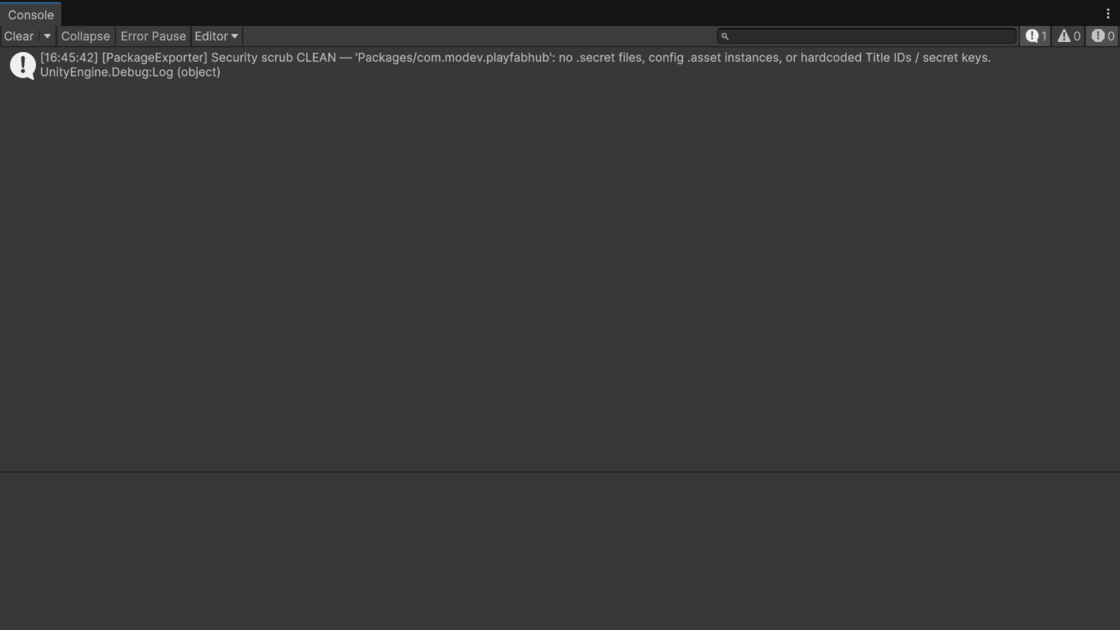
Captured straight from the editor into images/ (via MoDev ▸ Packaging ▸ Screenshots ▸ Docs, which masks Title IDs) — missing files degrade to placeholders automatically.
Support
Questions, bug reports, or feature requests.
Reach out any time at mindinvadersgames@gmail.com · Need a hand integrating PlayFab? Tell us about your project.
The same guides ship offline inside the package, in its Documentation folder. Features, video and requirements are on the PlayFab Hub product page.
See the license and third party notices. Requires the PlayFab Unity SDK (not bundled).